Help Center › Web › Read PDFs
Reading mode and display options
Switch between scroll directions, background tones and zoom levels for comfortable reading.
Applies to A recent Chrome, Edge, Safari or Firefox
Kiwi PDF offers several display modes to suit different reading conditions and document types.
Scroll direction
Click the Display icon in the toolbar to choose Vertical, Horizontal or Single page scroll.
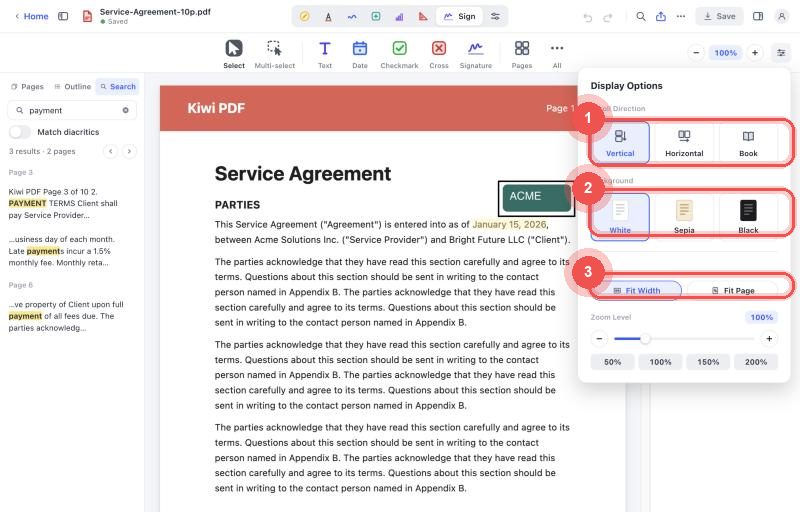
Background colour
A Dark theme inverts the page for comfortable reading in low light. Toggle it in Display options or via the system appearance setting.
Zoom
Use the + and − zoom buttons in the toolbar, or pinch on a touchscreen. Press Ctrl 0 to fit the page width.
Fit to width vs. fit to page
- Fit width — the page fills the screen edge-to-edge horizontally. This is the default and gives the most readable text size.
- Fit page — the entire page is visible at once, useful for checking layout.