Help Center › Web › Annotate
Add a text box
Place a free-floating text box anywhere on a PDF page.
Applies to A recent Chrome, Edge, Safari or Firefox
A text box lets you add typed text anywhere on a page — useful for filling blank form fields, leaving a comment or adding a label.
Place a text box
- Choose Text box from the tool row.
- Click where you want to place the text.
- Type your text, then click outside or press Escape.
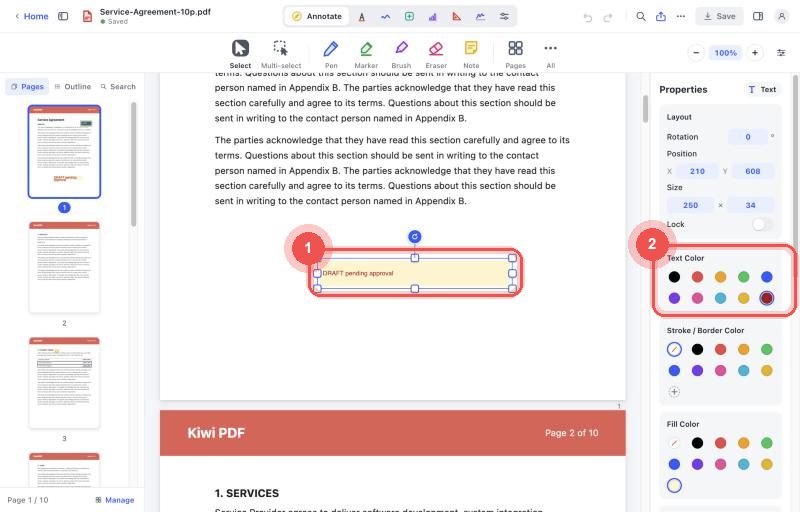
A selected text box and its text properties
Format the text
Select the text box and use the properties panel on the right to change font, size, style, colour, background and border.
Resize and move a text box
Select the text box, then drag it to move it, drag a handle on the frame to resize it, or drag the round button above it to rotate it.
To edit the text inside a placed text box, simply double-tap it (mobile) or double-click it (desktop).