
Merge PDF files online for free
Combine a quote, a contract and a cover letter into one tidy PDF — in the order you choose.
Free to start · No sign-up · Works in Chrome, Edge, Safari & Firefox
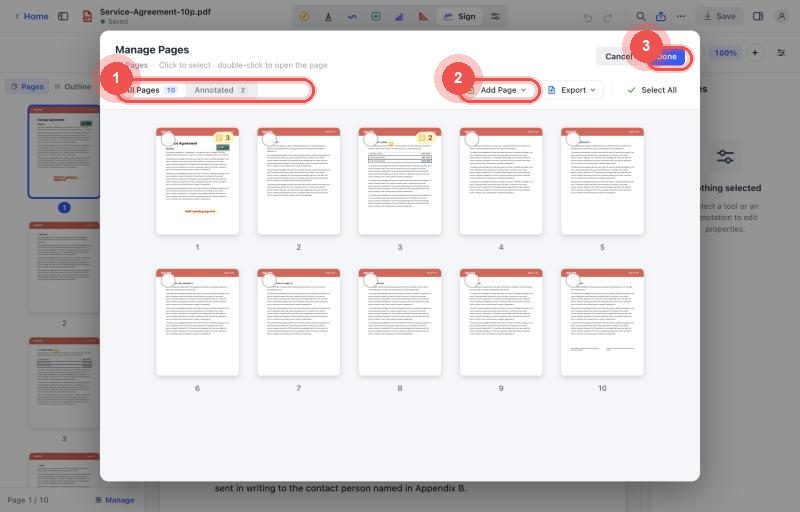
Pick two or more PDFs, drag them into the right order and Kiwi PDF joins them into a single file. Unlike many online mergers, Kiwi PDF keeps the structure of each document: bookmarks, links, form fields and annotations come across with their pages. Before saving you can still rearrange, rotate or delete individual pages in Manage Pages.
How it works
- Step 1
Choose Merge
Open the Tools Hub and pick Merge PDF.
- Step 2
Add your files
Select the PDFs and drag them into the order you want.
- Step 3
Merge and save
Click Merge, check the pages and save the combined PDF.
Step-by-step guide in the Help Center
Why Kiwi PDF
Any number of files
Join two PDFs or a whole folder of them.
Keeps structure
Bookmarks, links, forms and annotations are preserved.
Page-level control
Reorder, rotate or remove pages before saving.
Fast and local
Merging runs in your browser.
Frequently asked questions
Is merging PDFs free?
Yes, you can merge PDFs for free.
Will the merged file keep fillable fields?
Yes. Form fields and their values are carried into the merged document.
Can I merge only some pages?
Yes — after merging, open Manage Pages to delete or reorder any page.
Related PDF tools


Merge PDF files online for free
Also on iPhone, iPad, Android and Mac