
Split a PDF online for free
Break a long PDF into smaller files, or pull out only the pages you need to send.
Free to start · No sign-up · Works in Chrome, Edge, Safari & Firefox
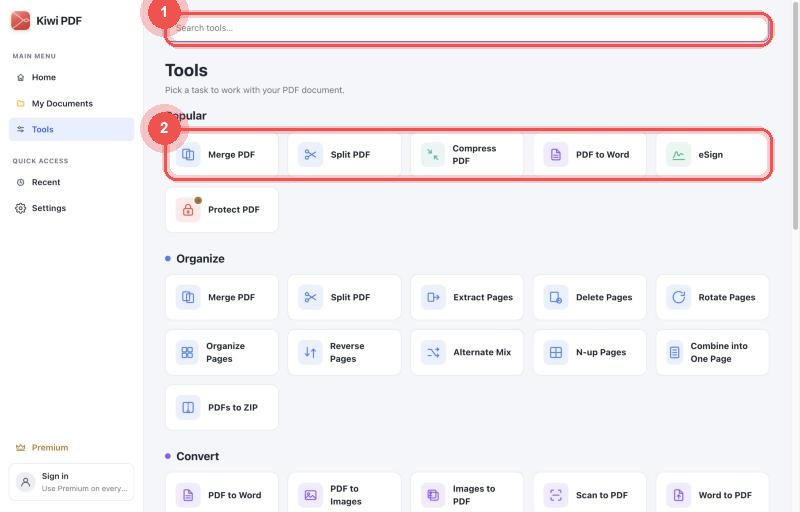
Kiwi PDF splits a document three ways: by custom page ranges (for example 1–3, 4–10), every N pages, or into parts below a target file size — handy when an email or upload form has a size limit. Prefer to keep one file? Use Extract Pages to save only the pages you choose as a new PDF.
How it works
- Step 1
Choose Split
Open the Tools Hub and pick Split PDF.
- Step 2
Pick how to split
By page range, every N pages or by file size.
- Step 3
Save the parts
Click Split and save the new PDF files.
Step-by-step guide in the Help Center
Why Kiwi PDF
By page range
Type exact ranges such as 1-3, 5, 8-12.
Every N pages
Cut a long scan into equal chunks.
By file size
Keep each part under an upload limit.
Extract pages
Save just the pages you select as one new PDF.
Frequently asked questions
Is splitting PDFs free?
Yes, splitting and extracting pages is free.
Does splitting reduce quality?
No. Pages are copied as they are, so text and images stay identical.
Can I split a password-protected PDF?
Yes, after entering the password to open it.
Related PDF tools


Split a PDF online for free
Also on iPhone, iPad, Android and Mac