
Convert JPG and images to PDF online
Turn photos of receipts, ID cards or handwritten notes into one clean PDF you can send anywhere.
Free to start · No sign-up · Works in Chrome, Edge, Safari & Firefox
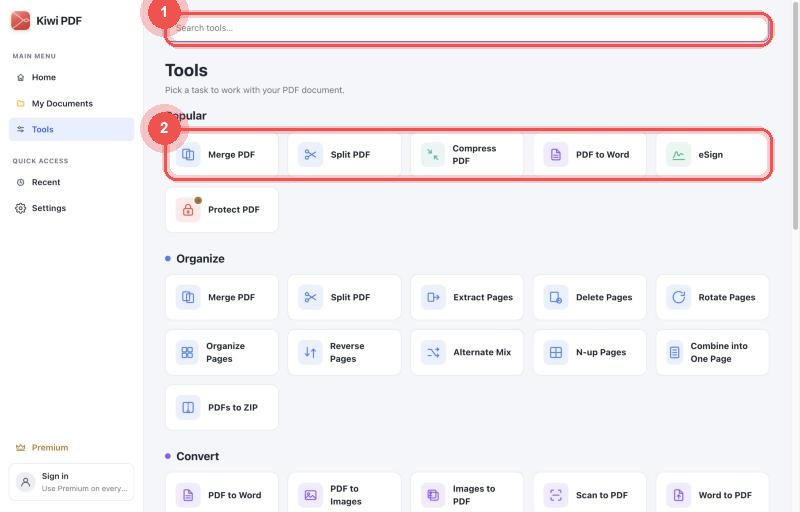
Select one or many images — JPG, PNG and other common formats — arrange them in order, and Kiwi PDF places each one on its own page with the page size and margins you choose. Combine with OCR to make the text in your photos searchable, or with Compress to keep the PDF small.
How it works
- Step 1
Choose Image to PDF
Open the Tools Hub and pick Image to PDF.
- Step 2
Add your images
Select the photos and arrange their order.
- Step 3
Create the PDF
Choose page size, then create and save the PDF.
Step-by-step guide in the Help Center
Why Kiwi PDF
Many images, one PDF
Combine any number of photos into one file.
Page size & fit
A4, Letter or fit to image, portrait or landscape.
Common formats
JPG, PNG and other everyday image types.
Next steps built in
Run OCR or compress the new PDF straight away.
Frequently asked questions
Is JPG to PDF free?
Yes, converting images to PDF is free.
Can I make one PDF from several photos?
Yes — select them all and each becomes a page in one PDF.
Will image quality drop?
No. Images are placed at their original quality unless you compress the PDF afterward.
Related PDF tools


Convert JPG and images to PDF online
Also on iPhone, iPad, Android and Mac